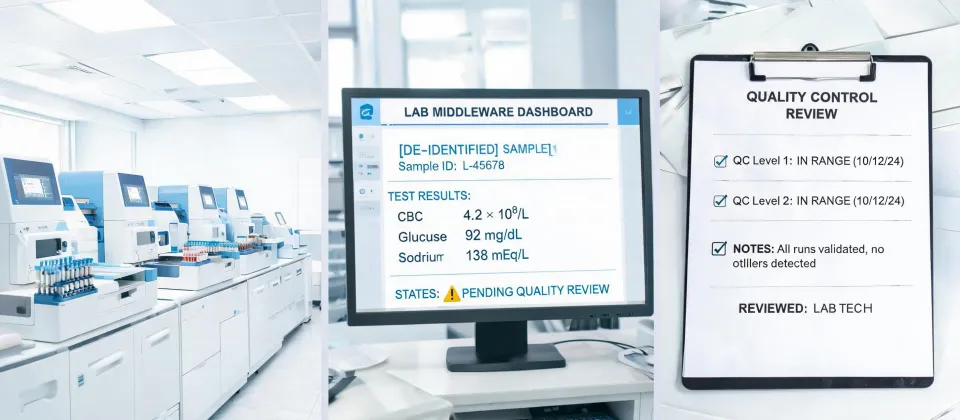
Let’s be real for a second. If you're the person in your company or institution tasked with buying diagnostic lab equipment—blood analyzers, centrifuges, maybe even an anesthesia machine—you know it’s a far cry from ordering office supplies.
I’ve been managing this kind of procurement since 2020. Back then, I took over purchasing for a multi-site healthcare group. My role? Handle all the service orders—about $450,000 annually across maybe 15 different vendors. I report to both the lab director (who wants the best tech) and finance (who wants the lowest number on the invoice).
This article isn’t a sales pitch. It’s a practical checklist I’ve built and refined over four years of experience. It's meant to help you avoid the same pitfalls I stumbled into. We’ll cover 5 concrete steps to evaluate equipment offers—from a centrifuge to a Roche cobas analyzer—without getting lost in the specs or, worse, getting burned by a low price.
Who This Checklist Is For
This is for the admin buyer, the office manager, the lab coordinator—the person who gets handed a requisition for a $25,000 instrument and is told, “Just get the best deal.” If you ever feel stuck between a supplier’s slick demo and your finance team’s spreadsheet, keep reading. This will give you a repeatable process.
Let’s get into the steps.
Step 1: Define the Job (Not the Gadget)
The most overlooked step. Everyone asks, “What’s the lowest price for an analyzer?” The better question is: “What problem are we solving?”
I learned this the hard way. In my first year, a lab supervisor asked for a “new centrifuge machine.” I found a fantastic price on a unit. It was compact, fast, and budget-friendly. Everyone was happy—until it arrived. It couldn’t take our standard tube racks. We had to buy new racks, spend time training staff, and the workflow actually slowed down for a week.
Here’s what to do:
- List the specific tests or volumes. It's not just an “anesthesia machine” you need; it's one for a 12-bed surgical suite running 15 cases a day.
- Identify current frustrations (e.g., “our current unit takes 45 minutes for a panel”).
- Ask about future needs. “Will we need to run more allergy tests next year?”
Get this in writing from the end-users. It becomes your anchor. (This is something the product specialists at big firms like Roche Diagnostics are trained to ask, but you should do it first, before any salesperson talks to you.)
Step 2: Get a Total Cost of Ownership (TCO) Quote—Not a Price List
This is where value_over_price really kicks in. A vendor once quoted me a beautiful price for an analyzer. It was 15% lower than the competition. I almost signed. Then I asked for a detailed quote including consumables, service, and training.
The base price was $18,000. But the reagents (the stuff you need to run actual tests) were proprietary and expensive. The annual service contract? $4,500. The installation fee? $1,200. Suddenly, that “cheaper” system would cost us over $10,000 more in the first two years of operation.
Your checklist for every vendor:
- Get a quote for 3-year TCO.
- Specifically ask for:
- List price of equipment
- Cost of consumables (reagents, cartridges, cuvettes) per test
- Warranty terms (is it included for 1 year or 3?)
- Annual service contract costs
- Installation and training fees
- Ask about compatibility costs. “Will this machine connect to our existing LIS [lab information system]? Are there interface fees?”
This is a classic mistake. Most buyers focus on the per-unit price and completely miss the setup fees, revision costs, and shipping that can add 30-50% to the total. Seriously—verify their invoicing system, too. I once had a vendor who couldn't provide a proper invoice, which cost us $2,400 in rejected expenses from accounting.
Step 3: Verify the “Roche Diagnostics Login” Type of Support
The hardware is only half the story. The other half is the ecosystem: the software portal, the training modules, the technical support line. I absolutely rely on a good vendor portal. For example, if you're looking at a major player like Roche Diagnostics, their portal (often requiring a roche diagnostics login) is where you find training materials, order consumables, and troubleshoot errors. You want to know how to use that before you own the machine.
To check this during your evaluation:
- Ask for a demo of the support portal. Is it clunky? Is it updated?
- Check the response time for service calls. “If the machine goes down at 11 AM on a Thursday, when will a technician be here?”
- Request a sample training plan. Not just “training included,” but the outline. How long? For how many staff? On-site or remote?
Some vendors promise the world during the sales cycle. From experience, the ones who give you a documented service level agreement (SLA) upfront are the ones you want to work with. The ones who say “we’ll figure it out” are a red flag.
(And a side tip for admin buyers: always verify invoicing capability. I had a supplier once for a smaller piece of equipment that could only send hand-written receipts. Finance rejected it, and I had to eat a $900 cost out of my own budget. Ugh.)
Step 4: Evaluate Training and Ease of Use (The Hidden Time Sink)
A machine with a steep learning curve can destroy your productivity. Let’s say you’re buying a new anesthesia machine. The senior anesthesiologist on staff might prefer one type of interface. The newer grads might prefer another. If the whole team has to re-learn their workflow, that’s an indirect cost you need to factor in.
From the outside, it looks like you just need to buy the machine. The reality is you also need to buy the skills to use it properly.
What to ask:
- “How long is the average hands-on training for a new user?”
- Share current workflows. Ask the vendor, “How does your machine’s interface handle a common task, like calibrating a new reagent lot?” Get a live demo.
- Look at the documentation. Is the manual searchable? Do they have video tutorials? For a complex system like a molecular diagnostics platform, bad documentation can be a nightmare.
I didn't fully understand the value of detailed specifications until that $3,000 order came back completely wrong because the spec sheet had a tiny detail I missed. And then the re-training cost? That $200 savings turned into a $1,500 problem when we had to send staff to a special training session (surprise, surprise).
Step 5: Don’t Forget the Niche Items (Like Types of Incontinence Products or Centrifuges)
It’s easy to focus on the big-ticket items like a blood analyzer or a $80,000 anesthesia machine. But the smaller pieces of equipment—like a centrifuge machine or even bulk purchases of types of incontinence products for a long-term care wing—can follow the same logic and cause just as many headaches if you mess them up.
When I consolidated orders for 400 employees across 3 locations in 2022, I applied this same checklist to everything. The result was a more unified supply chain. And honestly, it cut our ordering time by about 4 hours a month. The key is not to treat “small” items with a “just get the cheapest” mentality.
For those items:
- Ask for a bulk discount.
- Standardize. If you’re buying a centrifuge, pick one model that works for all labs.
- Check if the supplier bundles. A lot of vendors offer a better price if you order the consumables for the main analyzer with the centrifuge.
Common Mistakes & Your Final Checklist
Here’s the bottom line. If you do these five things, you’ll be ahead of 90% of buyers.
- Skip the “lowest price” rush. Remember: that $200 savings became a $1,500 problem in my case.
- Don’t rely on a single source. Get at least 2 competitive proposals with full TCO.
- Talk to end-users. Ask the lab techs and doctors about their pain points with the current equipment.
- Verify support capacity. Don’t trust “We have great support.” Look at the SLA.
- Consider the whole ecosystem. How does this machine work with the rest of your lab? Does it need a special power outlet? New network cable?
I still use this checklist every time. When I took over purchasing in 2020, I made a lot of mistakes that cost time and money. Since we implemented this process, we’ve saved about $18,000 a year in hidden costs alone. And that’s a win everyone in the office—from the lab director to the finance team—can appreciate.
Oh, and one final piece of advice from a veteran admin buyer: always, always get a written confirmation of the order with all specs before you approve. It saves you from the “but I thought that was included” conversation later.
